You have written the book. You have a cover. Now you reach a small box in your publishing dashboard that asks for a description.
It is easy to rush through it. Many authors do, and then wonder why readers look at their book and move on.
Your KDP book description is often the reader’s first real experience of your writing. A good cover earns the click. The description decides whether the reader keeps going.
This guide explains how to write one, how to format it, and what to avoid.
What Does a Book Description Do?
A description has one job: to help the right reader decide, quickly, that this book is for them.
It does not need to tell the whole story or list every chapter. It needs to give readers a reason to care, a clear idea of what they will get, and a nudge to read the book.
On Amazon, longer descriptions are usually collapsed behind a “Read more” link. That means your first few lines matter most, because many readers will not expand the rest.
The Basic Structure
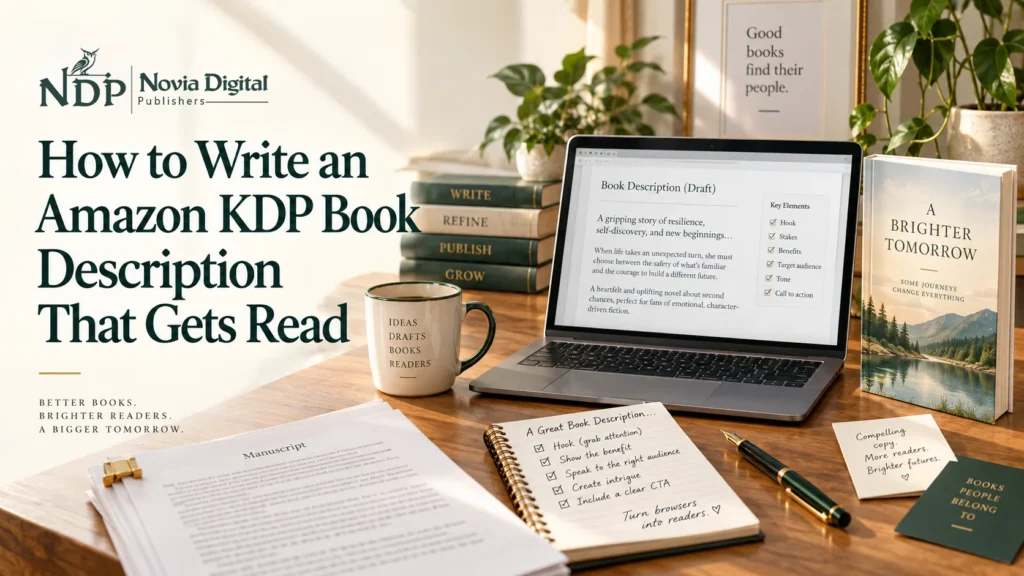
A strong description usually follows this order:
- The hook: one or two lines that grab attention
- The core promise or story setup: what the book is about
- Who it is for: the reader you are speaking to
- What they will get or what is at stake
- A short, honest closing line that invites the reader to buy
Writing the Hook
The hook is the most important part. It should work on its own, even if the reader sees nothing else.
For fiction, a hook can be a surprising situation, a question, or a character in trouble. For nonfiction, it is often a problem the reader recognizes, or a clear promise.
Avoid starting with your name, your biography, or “This book is about.” Start with something that makes a reader curious or feel understood.
Fiction Description Template
- Hook: A striking situation or question
- Setup: Who the main character is and what they want
- Conflict: What stands in their way
- Stakes: What they could lose
- Closing line: A question or teaser that points toward the story, without spoiling the ending
Keep it focused on the main character and the central conflict. Do not summarize the whole plot.
Nonfiction Description Template
- Hook: The problem your reader faces
- Promise: What the book helps them do
- Who it is for: A clear description of the reader
- What is inside: Three to five short bullet points
- Credibility: One short line about why you are qualified, if relevant
- Closing line: A clear invitation to read
Children’s Book Description Tips
Remember that the buyer is often a parent, teacher, or relative. Mention the age range, the theme or lesson, and what makes the book enjoyable to read aloud. Keep it short and warm.
Formatting Your Description With HTML
KDP lets you format your description with a limited set of HTML tags, such as line breaks, bold, italics, and lists. In practice, a well-formatted description looks something like this:
What if the quietest person in the room is the one who ought to be leading it?
Your book description text goes here, written in short, easy-to-read paragraphs.
- Key benefit one
- Key benefit two
The bold opening line, the separate paragraph, and the bullet list are all created with simple HTML tags in the KDP description box. If you are not comfortable with HTML, you can ask your designer or publishing team to prepare the formatted version for you.
Keep these points in mind:
- The limit is 4,000 characters, and HTML tags count toward it.
- Stick to simple formatting. Unsupported tags may be stripped out or shown as plain code.
- Preview your description after saving to make sure it looks right.
- Do not rely on heavy formatting. Clear writing matters more than fancy styling.
KDP can update what it supports, so check its help pages for the current list of allowed tags.
Mistakes to Avoid
- Starting with the author bio. Readers want to know about the book first.
- Summarizing the entire plot. Give the setup, not the ending.
- A wall of text. Use short paragraphs and white space.
- Vague praise. Words like “amazing” and “must-read” tell the reader nothing.
- Unsupported claims. Do not claim “bestseller” or quote reviews unless they are true and you are allowed to use them.
- Typos. Errors in a description make readers doubt the book itself.
- Keyword stuffing. Use relevant phrases naturally. Write for readers first.
How to Check Your Description
Before publishing, ask yourself:
- Does the first line make a reader curious?
- Would a stranger understand who this book is for?
- Is it easy to read on a phone?
- Are there any spelling or formatting errors?
- Does the tone match the book?
A good test is to show it to someone who has not read your book and ask what they think it is about.
Frequently Asked Questions
How long should a KDP book description be?
KDP allows up to 4,000 characters, but longer is not always better. Aim for clear and complete, not as long as possible.
Can I use HTML in my Amazon book description?
Yes. KDP supports a limited set of HTML tags for formatting.
Can I change my description after publishing?
Yes. You can update it from your KDP dashboard, and changes may take some time to appear.
Should I include keywords in my description?
Include relevant phrases where they fit naturally. Do not force them in.
Should I include reviews or awards?
Only if they are real and you are allowed to quote them. Keep them short and accurate.
Do I need a professional to write my description?
Not always, but many authors find it hard to describe their own book objectively, and a fresh perspective can help.
Final Thoughts
A good description does not need to be clever. It needs to be clear, specific, and written with a particular reader in mind.
Spend time on the first two lines, keep the formatting simple, and be honest about what the book offers. If you would like help with your description, listing, and launch, Novia Digital Publishers (NDP) supports authors from manuscript to publication. Learn more about our self publishing services or contact us to talk about your book.